THE APP YOU WANT ← All builds
Build story

UnderContract: the contract, the photos and every draw, in one file both sides signed.

A contractor and a homeowner agree the job in writing before a tool leaves the truck. The work goes up stage by stage with photos. The homeowner approves each stage, or sends it back with a reason, and every payment is recorded against the stage it paid for. The money moves between the two of them. The app keeps the record.

Paid Wednesday 6:25pm, live Thursday 10:38am Seven change lists in six days, none waited past the next morning Renamed twice, rebranded in gold, silver and black
UnderContract icon
UnderContract
Brandy Corbett · built by The App You Want
Signed contractsStages with photosHomeowner approvalDraw recordContractor subscription
Real screens
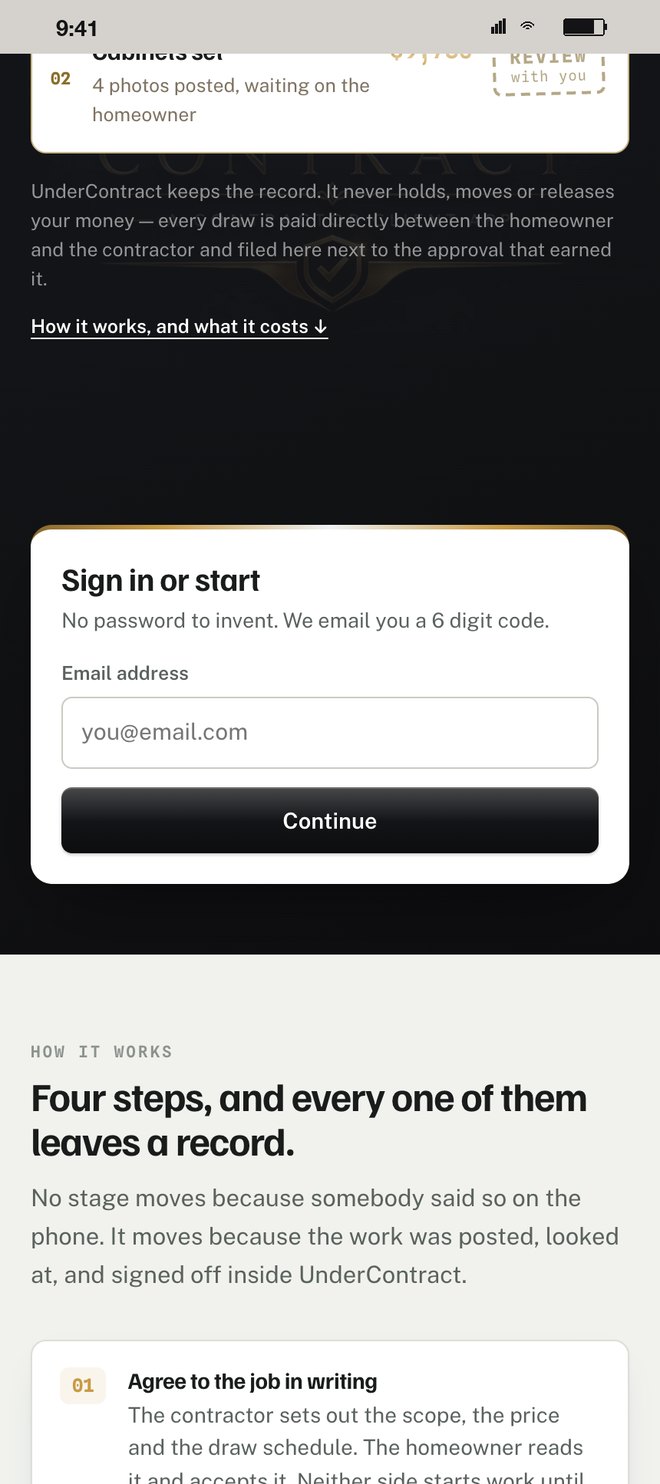
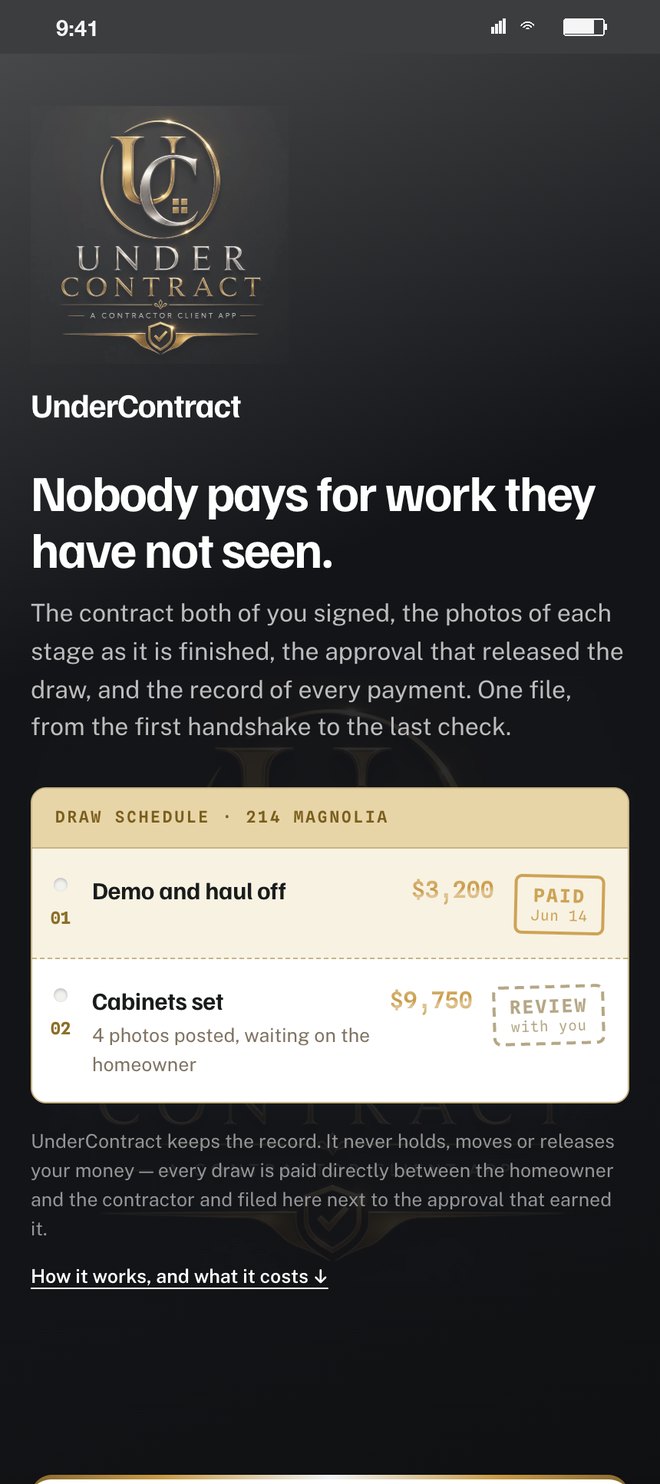
The UnderContract front page: nobody pays for work they have not seen
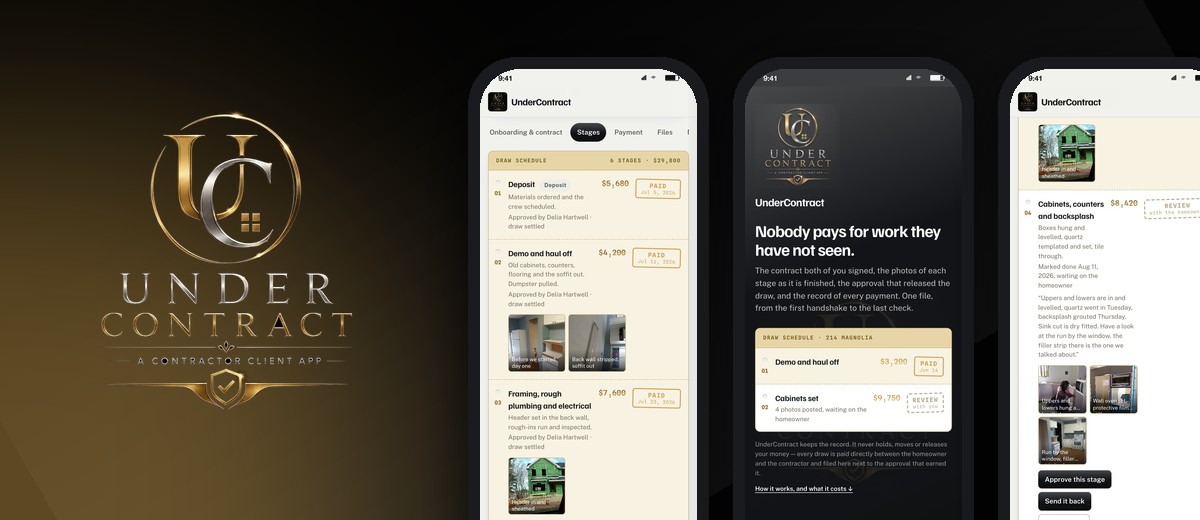
The front pageNobody pays for work they have not seen. The owner's own logo, gold and silver on black, with a sample draw schedule under it so a visitor sees the idea before they read a word.
Sign in or start: an email address and a 6 digit code, no password
No password, anywhereHalf the people who open this app are homeowners who use it four times during one remodel. They type an email, get a code, and they are in. The same form signs up a new person and signs in a returning one.
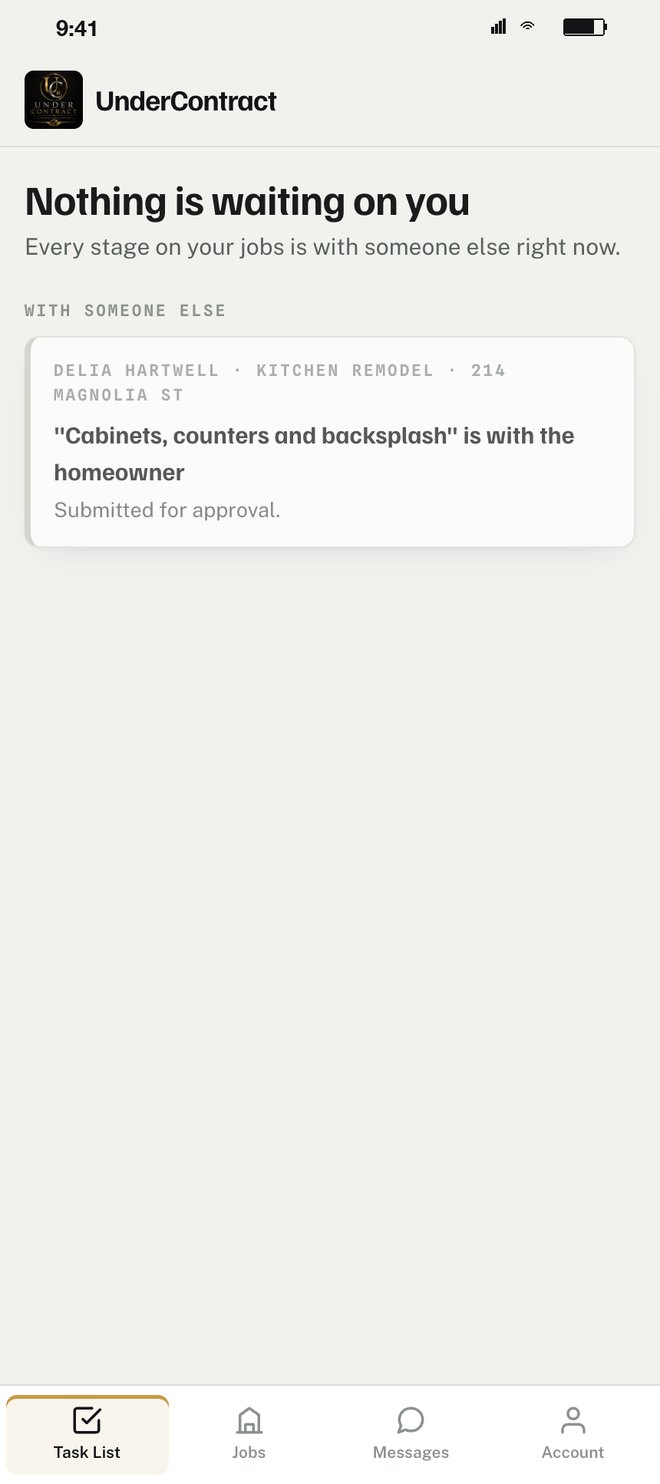
The contractor's Task List: nothing is waiting on you, one stage is with the homeowner
Task ListWhat needs the contractor's name today, and what is sitting with someone else. Here a set of cabinets is with the homeowner, waiting for approval.
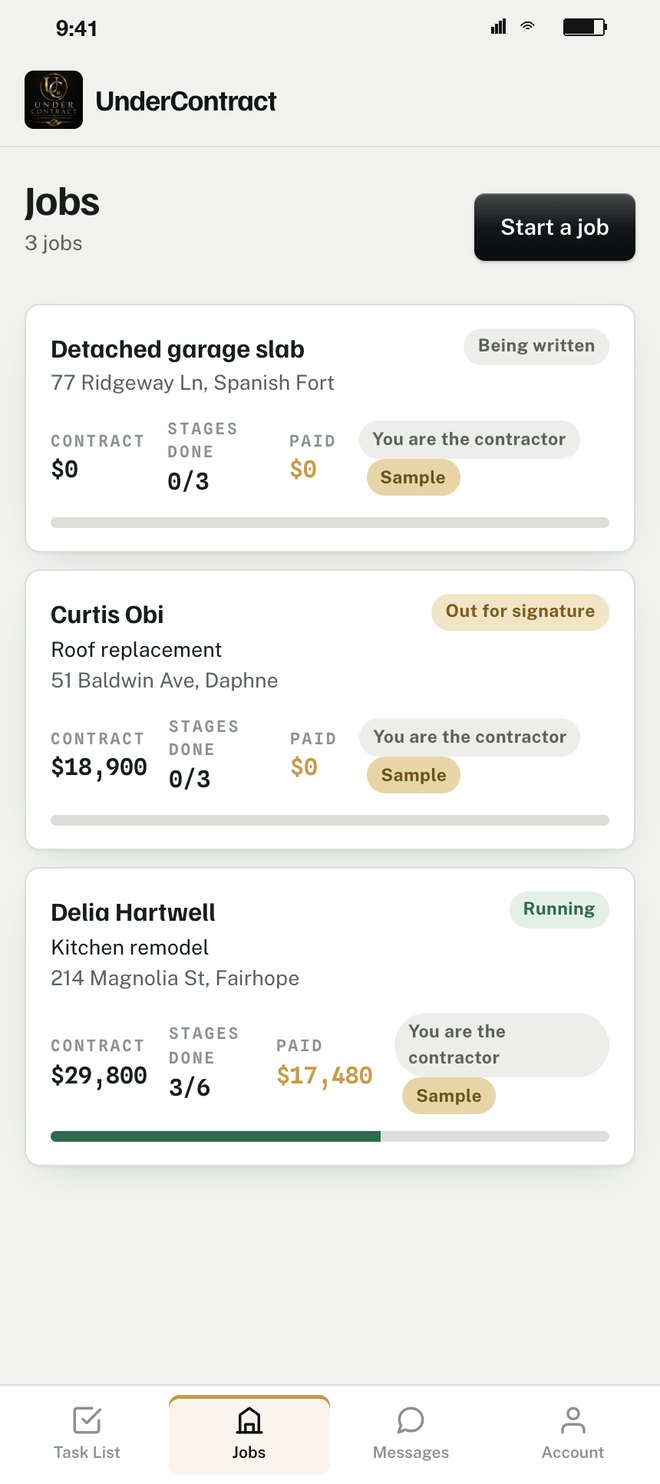
Jobs, filed under the customer's name, with contract total, stages done and paid
JobsEvery job filed under the customer's name, with the contract total, stages done and what has been paid. A green bar for the running ones.
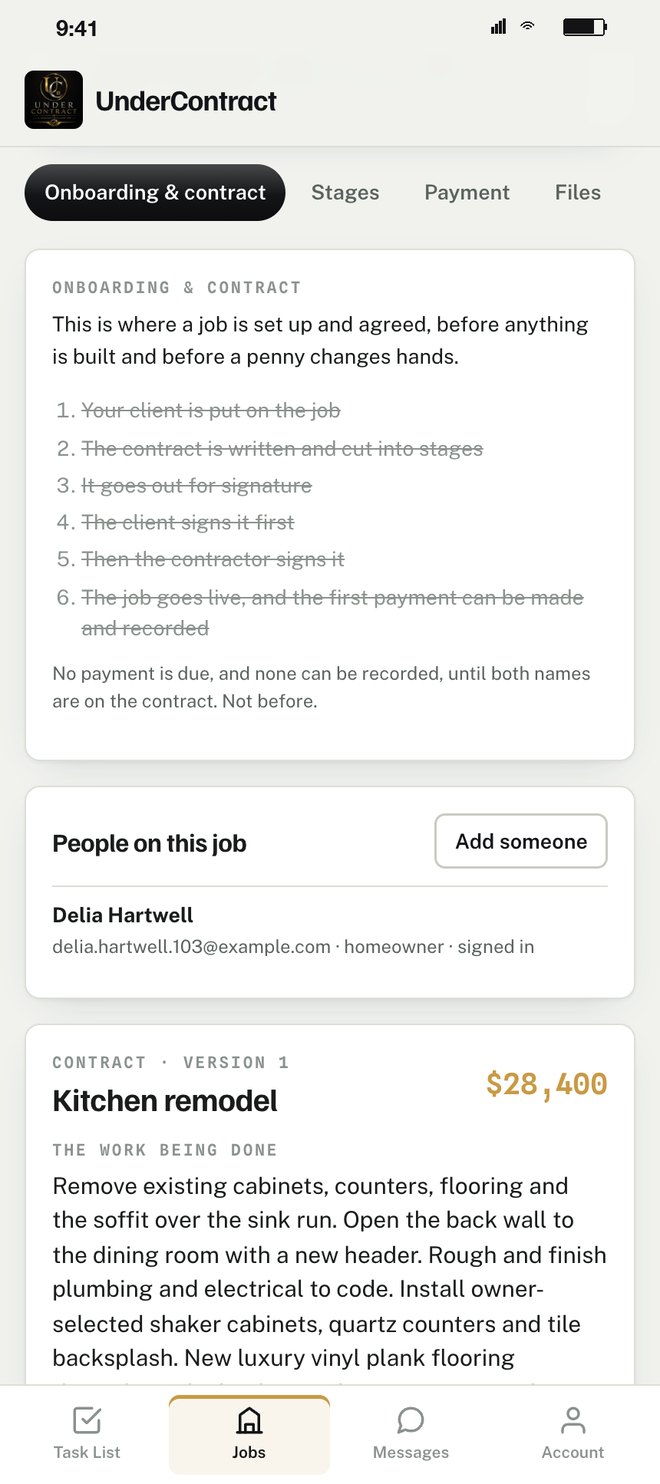
Onboarding and contract: the order of a job, the people on it, the contract at $28,400
Onboarding & contractThe order of a job, written out. Client added, contract written and cut into stages, sent out, the client signs first, then the contractor. Nothing is payable until both names are on it.
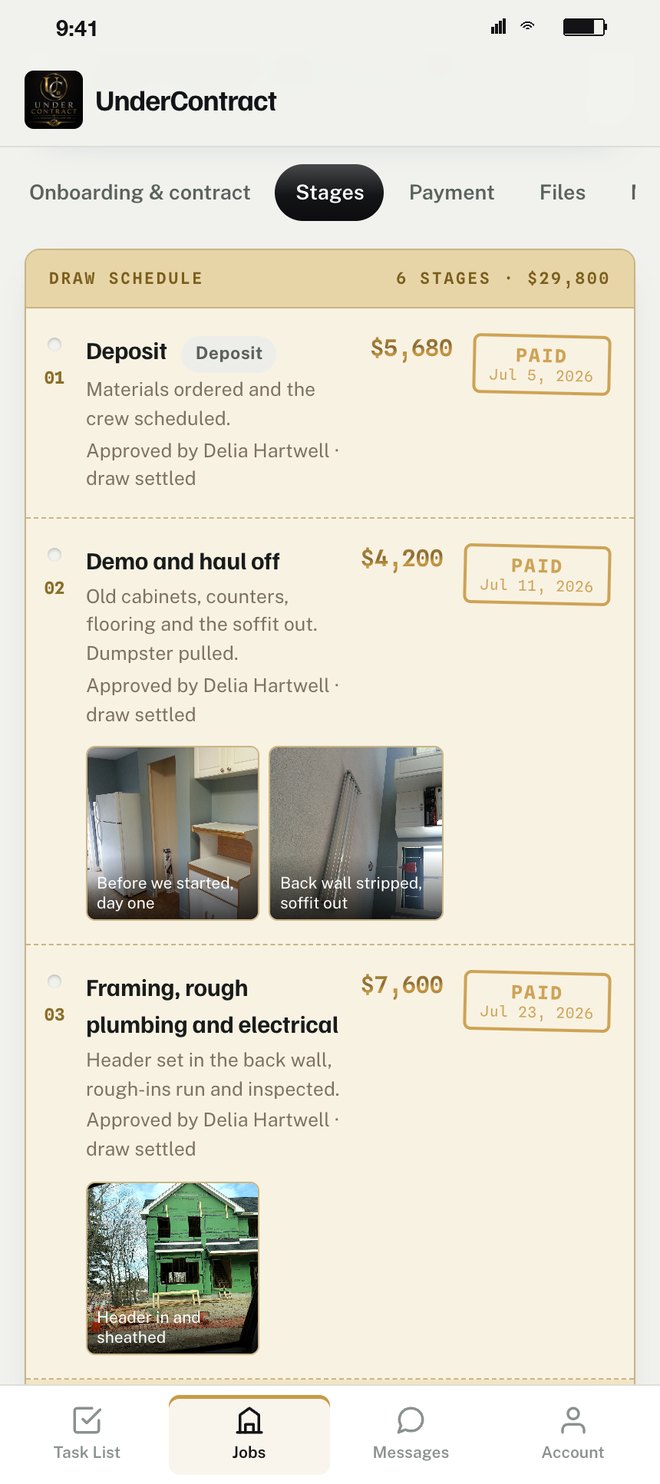
The draw schedule: six stages, each with photos, approved by the homeowner, draw settled
The draw scheduleSix stages on a kitchen. Each one carries its photos, who approved it and when, and whether the draw is settled. A running record of exactly what was done and when.
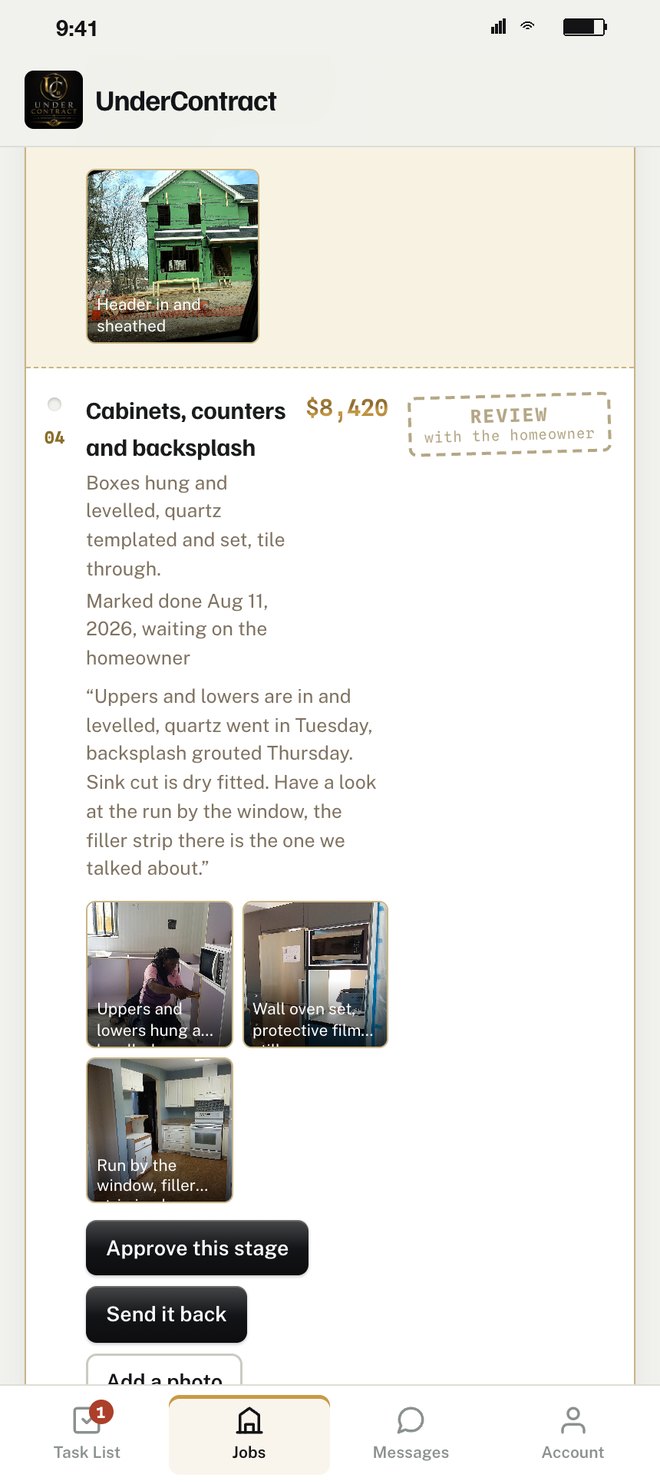
The homeowner's view of a finished stage: the photos, the contractor's note, Approve this stage or Send it back
The homeowner's moveCabinets, counters and backsplash, marked done with four photos and a note about the sink cut. Approve this stage, or send it back with a reason. No draw is due until this is pressed.
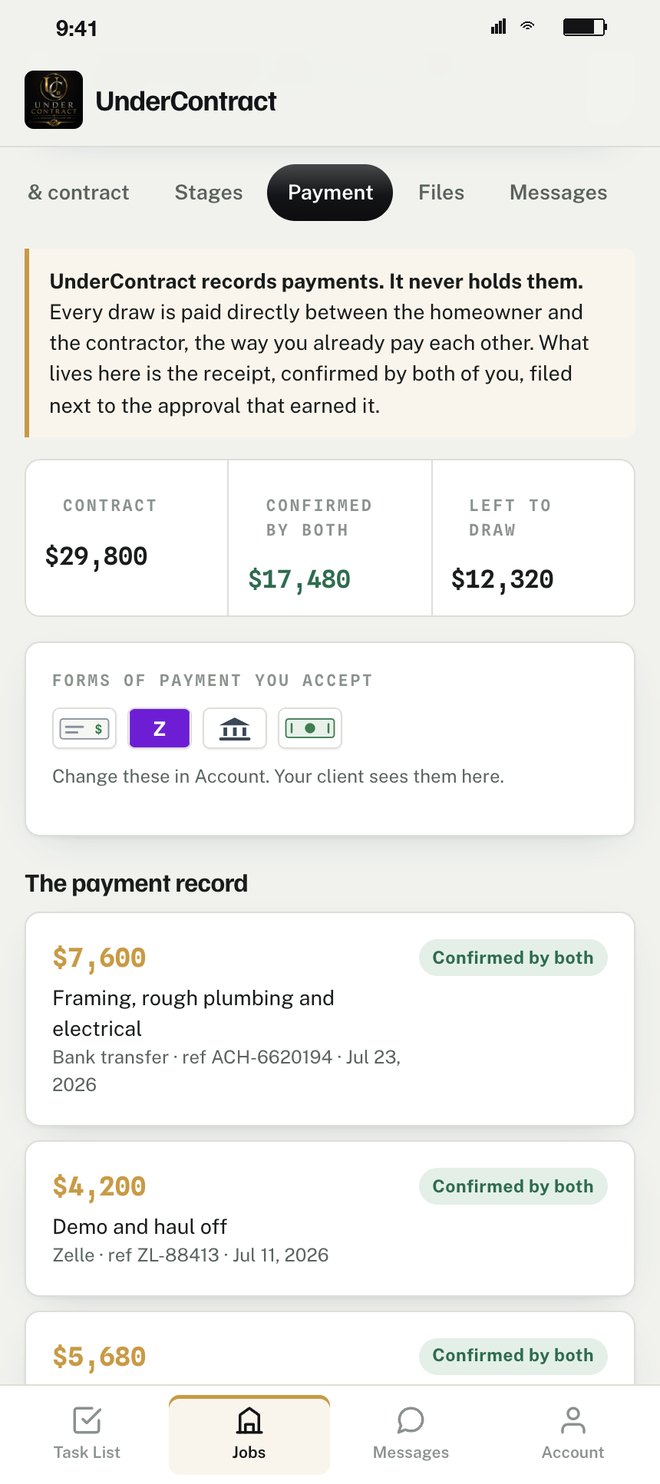
The payment record: contract, confirmed by both, left to draw, and the forms of payment accepted
The payment recordThe app never holds the money. Each draw is paid directly, then recorded with its reference and confirmed by both sides. The forms of payment the contractor takes sit right there for the client.
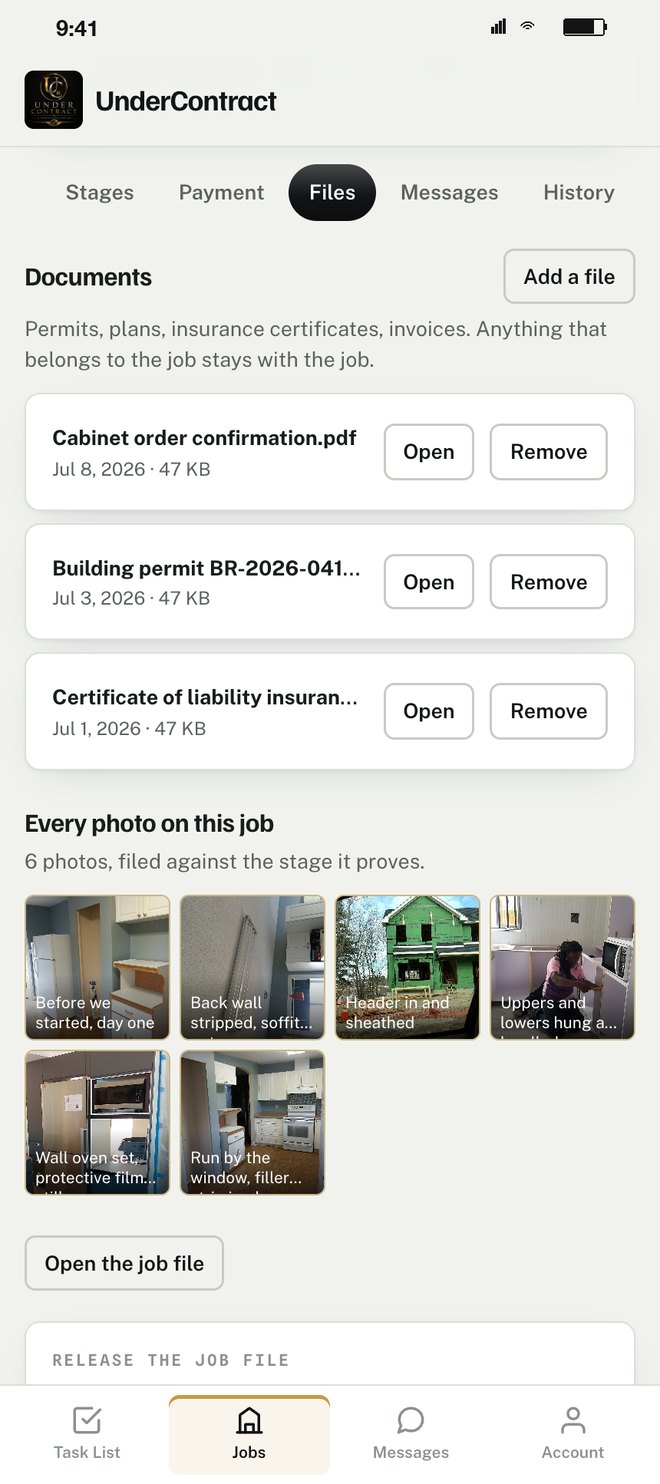
Files: permits, the cabinet order confirmation, insurance, and every photo on the job
FilesPermits, order confirmations, the insurance certificate. Every photo on the job, filed against the stage it proves.
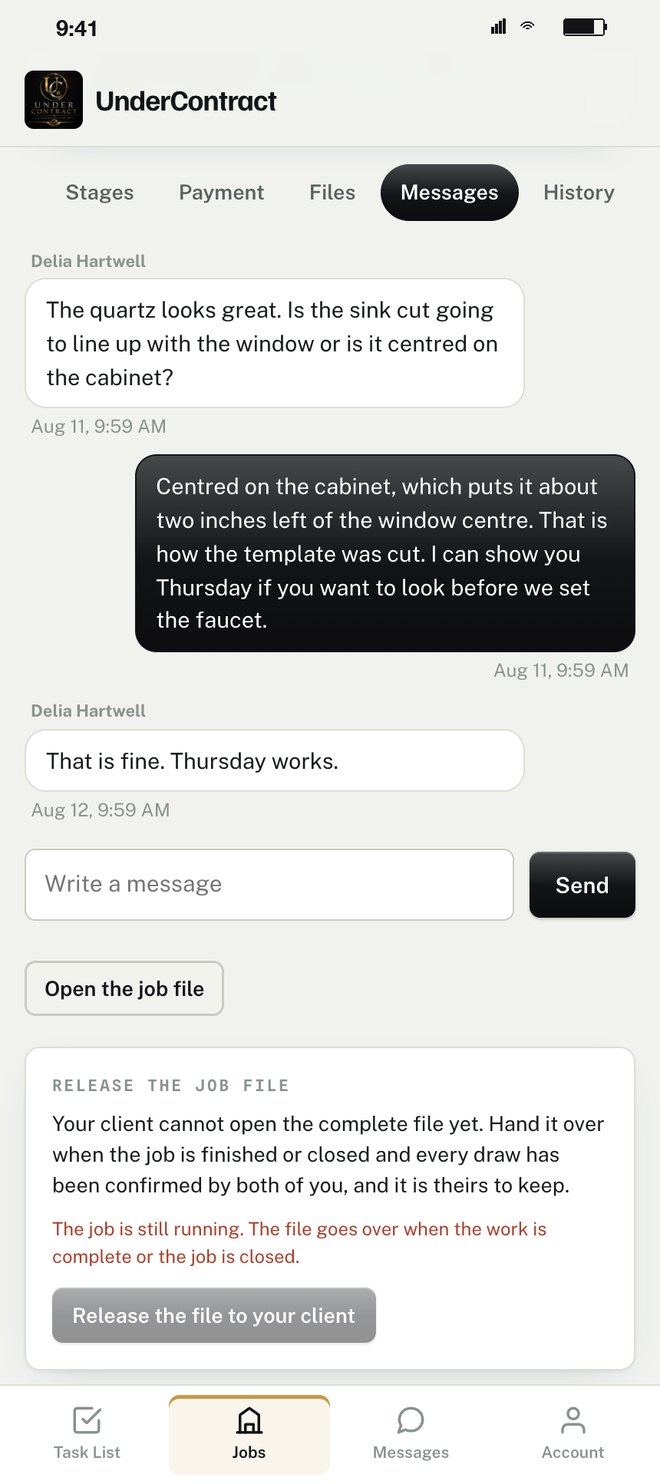
Messages on the kitchen remodel, one thread per job
MessagesOne thread per job, so the conversation about the sink cut stays with the kitchen and not in a text thread nobody can find in March.
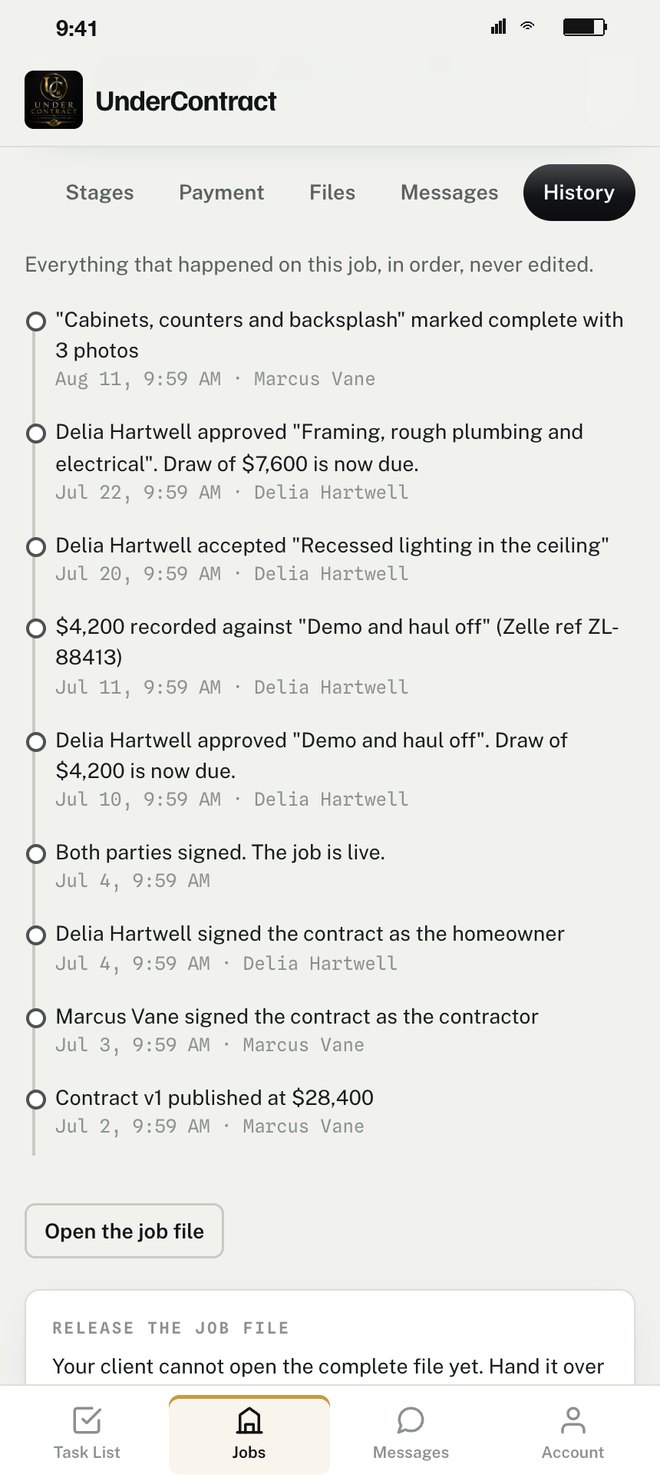
History: everything that happened on the job, in order, never edited
HistoryEverything that happened on this job, in order, never edited. Who signed, who approved, what was recorded, and the minute it happened.
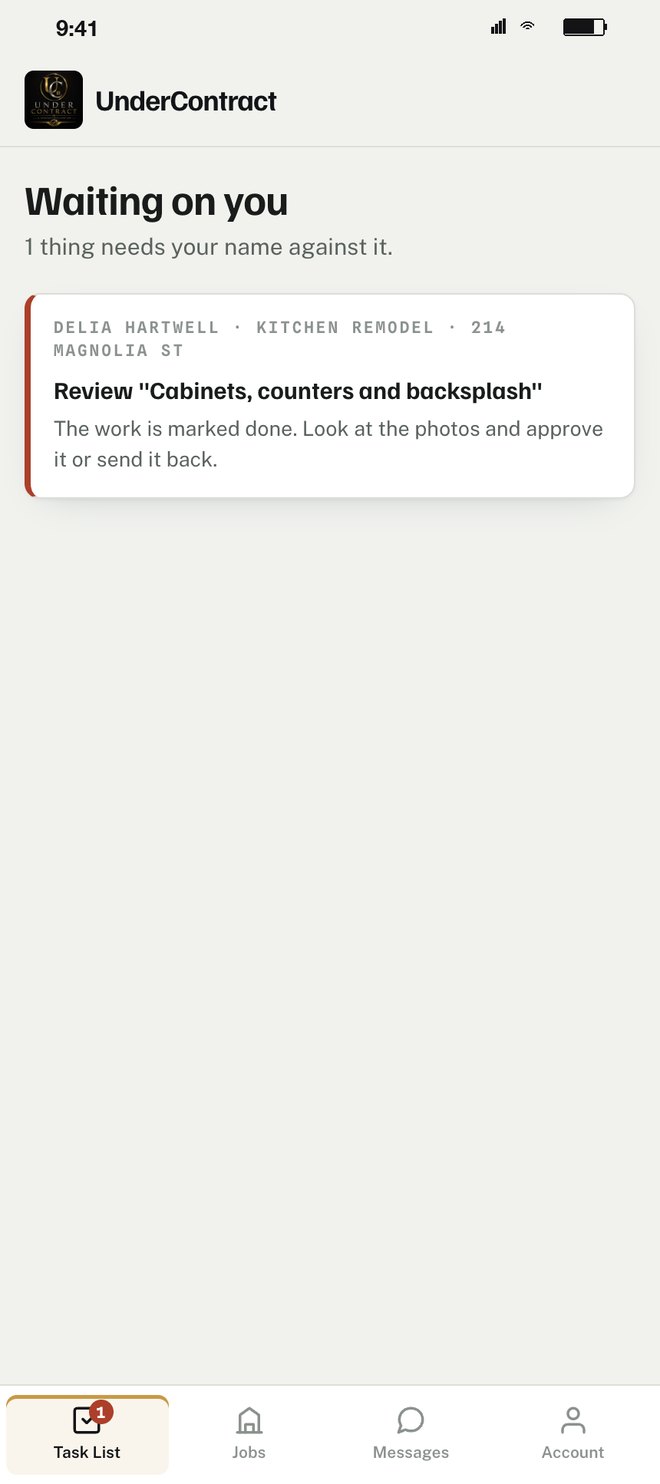
The homeowner's Task List: one stage waiting on their name
Waiting on youThe homeowner's side of the same app. One thing needs their name against it, and it says which.
See it live

UnderContract is live

Open it and read the front page. The sample draw schedule on it is the whole idea: a stage is marked done with photos, the homeowner approves it, and only then is the draw due.

Open UnderContract →
The challenge
Home improvement runs on trust and text messages. Both run out.

Brandy works in real estate and applied on a Wednesday at 5:12pm with one line: make home improvement projects safer with transparent contracts, milestone tracking, protected payments and complete documentation for every project. The Dotloop style exchange between the two sides, but for a kitchen instead of a closing.

The hard part was deciding what the app would not do. It does not hold anybody's money. True escrow needs a licensed partner, so the money moves straight between homeowner and contractor, and the app keeps the receipt beside the approval that earned it. That one decision made the whole thing buildable in a day.

Paid Wednesday at 6:25pm. Live Thursday at 10:38am, under a working day later. The reply came in a minute: "Wow. That was fast."

What we built
One job file, four steps, and every step leaves a record.
โœ๏ธ

Agree the job in writing

The contractor sets out the scope, the price and the draw schedule. The homeowner reads it and signs first, then the contractor. Neither side starts work until both names are on it.

๐Ÿ“ท

Finish a stage, post the proof

Photos and notes go against the stage they belong to, dated and attributed. The camera opens on the page, on a phone. What was done stops being a matter of memory.

โœ…

The client approves it, or sends it back

The homeowner opens the photos and either approves the stage or returns it with a written reason. Nothing is finalized and no draw is due until the person authorized to approve has confirmed.

๐Ÿงพ

The draw is paid and filed

Paid directly between the two of them, the way they agreed, then recorded. A check needs its number and date, a card its last four, Zelle the account name. Both sides confirm it.

The signature feature
Seven change lists in six days

The first look was called Drawbridge, in blueprint navy. Then the owner started using it like an owner. A landing page. A new name, ScopeLock, set from a Brand screen where the name, the colors and the logo change across the whole app at once. The next day a logo arrived that said Under Contract, so the app became UnderContract, in gold, silver and black, lit like metal with a slow shine across the sign in page, and a Flat or Metallic switch to turn it off. Then the lists came, one a day: the job screen showing all five steps and whose move each one is, a contract that cannot be signed until it has been sent, jobs filed under the customer's name, a Task List, forms of payment on the job, Onboarding & contract as its own section ahead of Stages, the client signing before the contractor can, every email opening the exact page it is about, a stage that opens as Deposit due, and Record it refusing to press without a check number. Every list was live the same day or by the next morning.

Renamed from a Brand screen, twiceMetal finish with an off switchEmails open the exact pageRecord it refuses a check without a number
How it moved
Wednesday evening payment, Thursday morning app.
5 Aug
Applies at 5:12pm on a Wednesday. Booked for 11 the next morning.
6 Aug
Gameplan call, 11 minutes. Contract accepted in the app, stages with photo proof, approval per stage, draws logged, messages and documents on each job, a contractor subscription paid to the owner. Offer sent at 11:31am.
12 Aug
Paid at 6:25pm.
13 Aug
Drawbridge live at 10:38am. "Wow. That was fast."
25 Aug
A landing page. The app becomes ScopeLock from a new Brand screen. That evening the owner uploads a logo and two colors without being asked.
26 Aug
Review call at 11. The logo says Under Contract, so the app does too. Gold, silver and black, metal finish, Flat or Metallic switch. The job screen shows five steps and whose move each is.
27 Aug
Three lists, all live the same day. Send the contract out for signature sits on the step that says your move. Jobs filed by customer. Task List. Forms of payment. Onboarding & contract as its own section, the client signs first.
28 Aug
Send the job sits under Save the schedule. Every email opens the exact page it is about. Change order. The side panel stays lit inside a job.
29 Aug
Stage 01 opens as Deposit due. No, I did not receive it, with a line for what happened. Record it wants a check number and date, or the last four of the card.
30 Aug
Zelle and Cash App need the account name. Upload the signed paper contract, printed inside the job file. Forms of payment accepted, in those words.
Want an app like this?
Tell us the app you want See it live